Radar
Compare series across several categories at once
A radar chart draws one spoke per category and connects each series’ values into a shape. Use it to compare a few series across the same categories, for example two plugin versions across several platforms.
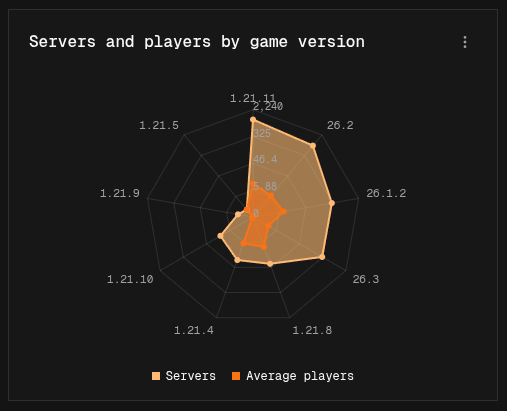
Building a radar chart
- Easy mode: add a series for each shape you want to compare, pick a Breakdown, and leave Show on Total. Each group of the breakdown becomes a spoke.
- Canvas mode: build one pipeline per series, each ending in an Output node, and add a Group By node on the same field to each pipeline.
Display options
| Option | Default | Description |
|---|---|---|
| Logarithmic Scale | Off | Spaces the value axis by orders of magnitude |
| Show Dots | On | Draws a dot at each data point |
| Fill Opacity | Medium | How strongly each shape is filled: None, Light, Medium, Heavy, or Solid |
| Show Legend | On | Shows a legend when there is more than one series |
| Grid Shape | Polygon | Shape of the background grid: Polygon or Circle |