List
Show ranked values, like top pages or versions
A list chart shows one row per group with its value and a bar, sorted from highest to lowest. Use it for rankings like top pages, referrers, countries, or plugin versions.
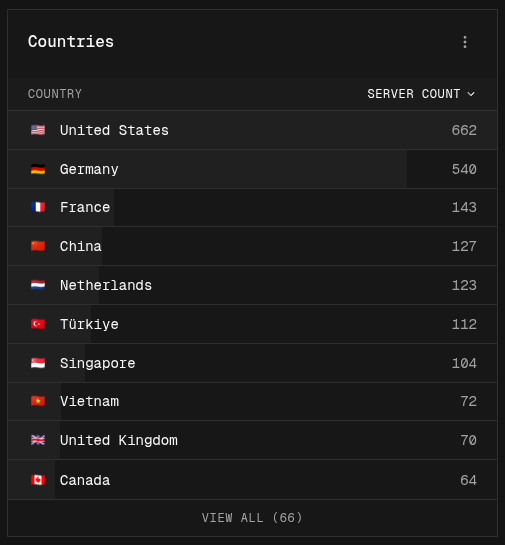
Building a list
- Easy mode: pick a Breakdown. Each group becomes a row.
- Canvas mode: add a Group By node before the Output node.
Tabs
With more than one series (or Output node), each one becomes a tab, for example “Browsers” and “Countries”. Click a tab or swipe on the card to switch between them. See Tabbed lists.
Using a list on the dashboard
- Sorting: click a column header to sort by it. Click again to flip the order.
- View all: the card shows as many rows as fit. Click View all to open every row in a dialog, where you can also search.
- Icons: rows can show icons, such as browser logos or country flags, by setting an Icon set on the Output node.
- Nested rows: with Nest by on the Output node, related rows are grouped together and you can open a group to see what’s inside.
- Filtering: if you can manage the project, click a row to filter the whole dashboard to that value.